If you're trying to add a clickable link to your TikTok bio without 1000 followers yet, you've hit one of the platform's most frustrating restrictions. The good news: there are legitimate workarounds that work in 2026, and one of them is meaningfully better than it was last year.
This guide covers the 1000-follower restriction, the trade-offs of each workaround, and what to set up now so the day you cross the threshold you're not scrambling to figure out what to point your bio link at.
Why TikTok requires 1000 followers for bio links
TikTok added the 1000 follower requirement to reduce spam and protect users from malicious links. The intention is sound; the side effect is a catch-22 for new creators -- you need followers to add links, but links help convert viewers into the audience that gets you to the threshold.
Here's the current state:
| Account Type | Follower Requirement | Link Access |
|---|
| Personal Account | 1,000 followers | Website field unlocks at threshold |
| Business Account | 0 followers | Immediate access (with trade-offs) |
| Creator Account | 1,000 followers | Same as personal |
The restriction applies to the clickable "Website" field in your bio. You can always link to other social platforms like Instagram and YouTube without meeting the threshold.
Method 1: Switch to a Business Account
The most direct workaround. Converting your personal account to a TikTok Business Account gives you immediate access to the bio link feature regardless of follower count.
How to switch:
- Open TikTok and go to your Profile
- Tap the three-line menu in the top right
- Select Settings and privacy
- Tap Account
- Select Switch to Business Account
- Choose your business category
- Return to Edit Profile -- the Website field now appears
The trade-off you need to know:
Business accounts lose access to TikTok's full commercial music library. You're limited to the Commercial Music Library, which excludes most trending sounds and popular songs.
Since TikTok's algorithm favors videos using trending audio, this limitation can meaningfully impact your reach. Many creators find the bio link isn't worth sacrificing their content's discoverability.
Best for: Businesses, brands, and creators who primarily use original audio or aren't relying on trending sounds.
Method 2: Pinned Comments as Your Link Hub
You can't make a link clickable inside a comment, but you can make it impossibly easy for interested viewers to find your URL.
How to set this up:
- Post your video as normal
- Immediately comment with your link (e.g., "Get the free guide: edgeurl.io/p/yourname")
- Tap the three dots on your comment
- Select Pin comment
- Your link stays at the top of every comment section
Making this method actually work:
- Use a short, memorable URL (custom short domains help here)
- Include a clear call-to-action in your video ("Link in pinned comment")
- Verbally mention the link during your content
- Use a link-in-bio page so a single URL covers all your destinations
Best for: Creators who want to keep personal accounts and trending sound access while still driving traffic.
Method 3: Link Your Other Social Profiles
TikTok lets you connect Instagram and YouTube to your profile without any follower requirements. These show up as clickable icons on your profile.
How to add them:
- Go to Edit Profile
- Scroll to the Social section
- Tap Add Instagram or Add YouTube
- Authenticate your accounts
- Icons appear on your profile immediately
The strategy:
Use your Instagram bio or YouTube channel description as your actual link destination. When someone clicks your Instagram icon from TikTok, they land on your Instagram profile where you can have a proper link-in-bio page that does what TikTok won't let you do directly.
It's an extra step, but it's a fully clickable path that works at zero TikTok followers.
Best for: Creators already active on Instagram or YouTube who can use those platforms as intermediaries.
Method 4: Build a Bio Page Now (and Be Ready)
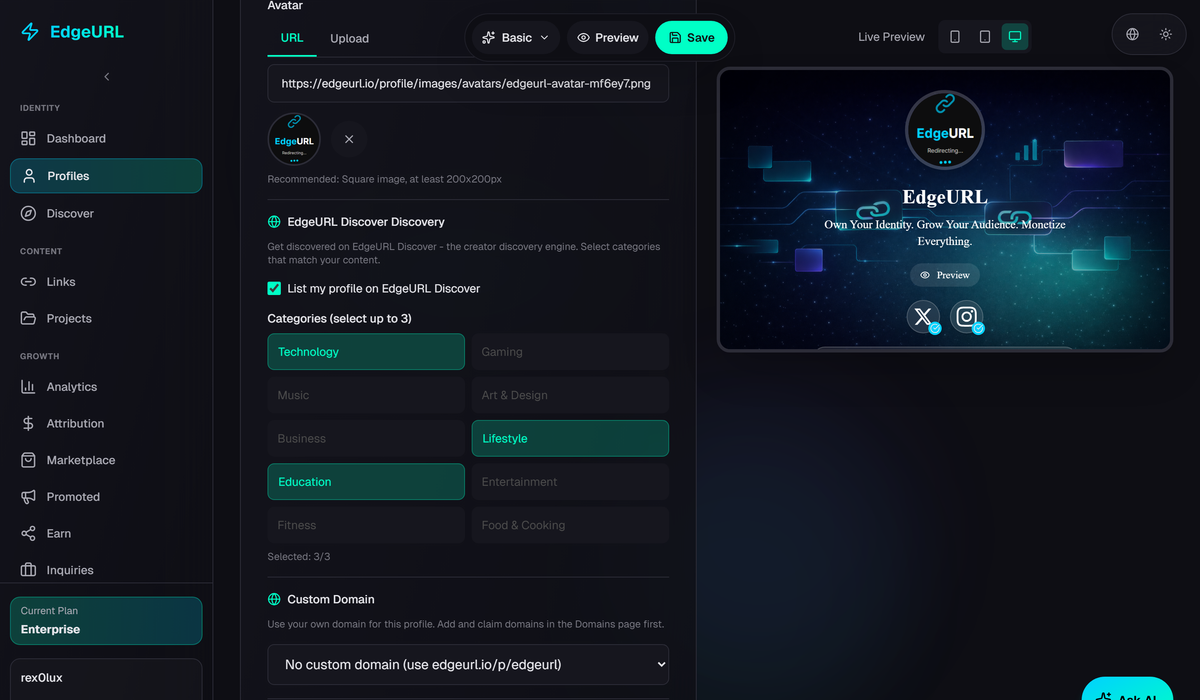
Instead of fighting TikTok's restrictions, set up the destination you'll point at the moment you cross 1000 followers. A bio page on a tool like EdgeURL is free, takes about three minutes to set up, and gives you:
- One memorable URL that works across every platform
- Click analytics so you know what's actually getting traffic
- A QR code that works on physical materials
- A page you can update without changing the link anywhere
Setup:
- Sign up at edgeurl.io
- Claim your handle (e.g., edgeurl.io/p/yourname)
- Add your most current links and social icons
- Use this URL in your TikTok pinned comments now, and add it to the Website field the moment you hit 1000
When you do hit the threshold, you already have an analytics-enabled landing page ready -- not a hastily-set-up Linktree you'll outgrow in two months.
Best for: Creators building a presence across multiple platforms who want professional analytics and a single source of truth.
Method 5: DM Automation with Keywords
This is the one that's quietly changed the most in 2026. Tools like ManyChat, plus newer AI-agent-driven automations, can automatically send links via direct message when viewers comment specific keywords.
How it works:
- Set up a DM automation tool (or wire up an AI agent with DM access)
- Create a trigger keyword (e.g., "GUIDE")
- When someone comments that keyword, they automatically receive a DM with your link
- The link is clickable and trackable
Why this is more powerful than it used to be:
- Higher engagement rates (every comment trigger boosts your video in TikTok's algorithm)
- Clickable links delivered to interested viewers, not the random scrolling audience
- No follower requirement
- Works with personal accounts (keep your trending sounds)
- Creates a list of engaged warm leads, not anonymous clicks
The newer angle: AI agents can now respond to comments contextually, not just by exact keyword match. A viewer commenting "where can I learn more" can trigger a DM in the same way as someone commenting your specific keyword. This is a real workflow some creators are running in 2026 that didn't exist meaningfully in 2024.
Best for: Creators promoting digital products, courses, or lead magnets who want higher engagement and a warmer audience than cold link clicks.
Comparing the Methods
| Method | Effort | Keeps Trending Sounds | Clickable Link | Analytics |
|---|
| Business Account | Low | No | Yes | Basic |
| Pinned Comments | Low | Yes | No (memorable URL only) | None directly |
| Social Profile Links | Low | Yes | Yes (indirect) | Platform-specific |
| Bio Page (ready for crossover) | Medium | Yes | Varies | Full |
| DM Automation | High | Yes | Yes | Full |
The Long-Term Play
Don't just work around the restriction -- prepare for the day you cross it.
- Create your bio page now. Build the link-in-bio destination before you actually need it on TikTok.
- Use pinned comments in the meantime. Drive traffic while keeping personal-account benefits.
- Track what's working. EdgeURL analytics (or whatever tool you pick) tells you which content drives clicks.
- Hit 1000 followers. When the Website field unlocks, your destination is already polished, analytics-enabled, and tested.
- Add the URL to your bio. One link that grows with your career instead of being whatever you happened to set up the day you hit the threshold.
FAQ
Can I switch back from Business to Personal?
Yes. Settings > Account > Switch to Personal Account. You'll lose the bio link until you reach 1000 followers, but you'll regain access to the full music library.
Do I really lose all trending sounds on Business?
Business accounts can't use most copyrighted music. You get the Commercial Music Library, which has royalty-free tracks but misses most viral sounds.
Is there a way to get the link on a personal account without 1000 followers?
Not officially. TikTok hasn't changed this policy. The methods in this guide are workarounds, not policy bypasses.
What happens when I reach 1000 followers?
The Website field appears in your Edit Profile section. Add any URL you want.
Which URL should I actually put there?
Use a link-in-bio page like EdgeURL rather than a single destination. It lets you change where traffic flows without changing your bio, and gives you analytics on what your audience actually clicks.
Can AI agents help with TikTok bio link strategy?
Indirectly, yes. Agents can keep your bio page updated as you publish new content (point to the most recent video, swap out CTAs based on what's working), respond to DMs, and surface analytics insights. EdgeURL has a dedicated AI agent API for this if you want to wire one up.
Start Building Now
The 1000-follower restriction is frustrating, but it doesn't have to block your audience-building. Use the workaround that fits your content strategy, and have your destination ready for the day the restriction lifts.
Create your free EdgeURL profile at edgeurl.io and have your professional link-in-bio page set up before TikTok lets you actually use it.
Related reading:
