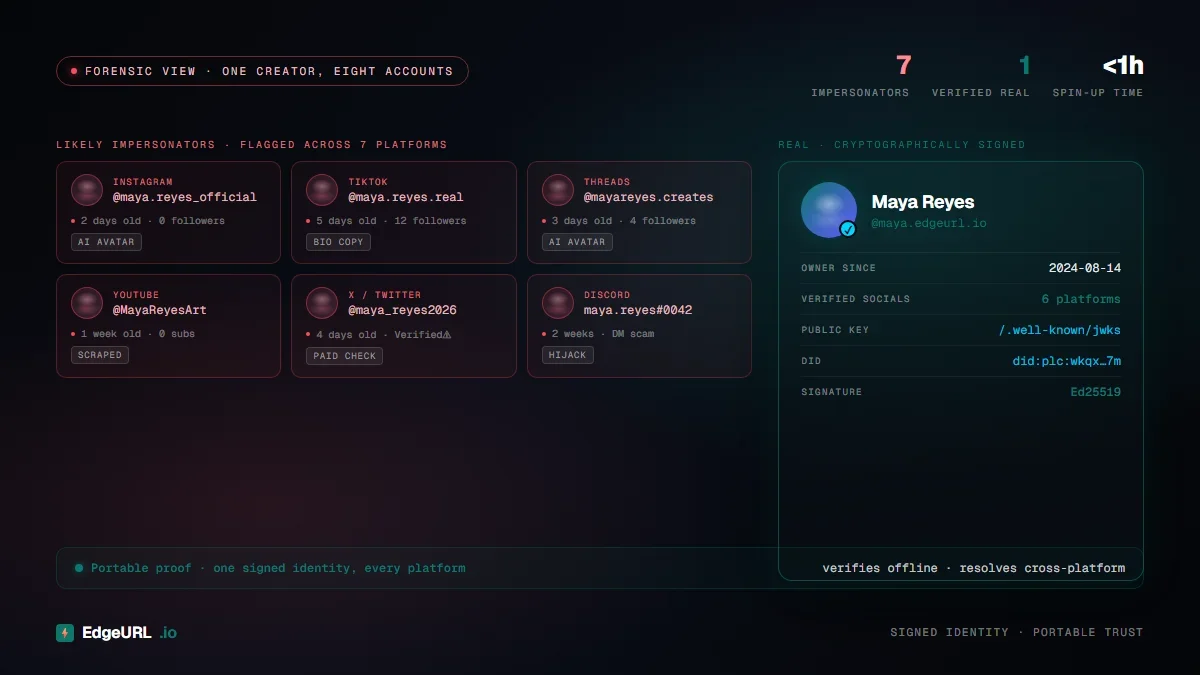
Five years ago, the worst-case scenario for a creator was a knockoff account using your name on Instagram. In 2026 it's worse: a scammer with an AI-generated headshot that looks like you, a bio paraphrased word-for-word from your real page, scraped portfolio pieces, and accounts on five platforms you don't even use yet -- all pointing to a fake "you" that's already DM'ing your audience.
Most creators don't find out until a fan asks why they got blocked from a Discord they never created.
This is what creator impersonation actually looks like now, and the defense most platforms offer hasn't caught up. The good news: a portable, cross-platform verification model exists, and it's a one-time setup.
What's actually changed in 2026
Three things that weren't true in 2022:
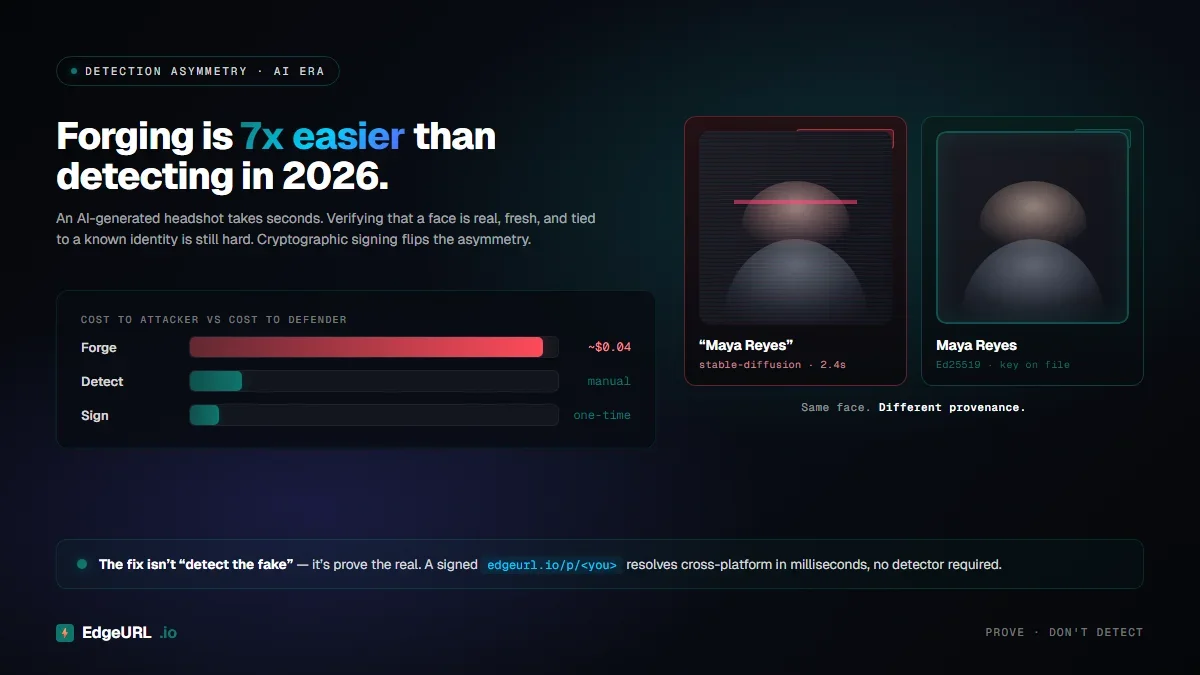
AI-generated headshots are indistinguishable from real ones. A scammer no longer needs to steal your face photo -- they can generate a new one that "looks like" you in any setting. The asymmetry between forging and detecting has flipped.
Cross-platform impersonation is automated. Tools that spin up matching profiles on Instagram, TikTok, YouTube, X, Threads, and four other platforms in under an hour are widely available. The impersonator goes from one account to ten in an afternoon.
Platform "verified" programs do not solve the problem they sound like they solve. Instagram and X verified badges are now monetization tools more than identity-trust tools. Anyone with a credit card and a basic profile can buy one.
The result: a checkmark on one platform doesn't translate to trust anywhere else. And it's not really about identity anymore -- it's about who paid the subscription this month.
The portability problem
If you verify ownership of an Instagram account by paying for Meta Verified, that signal does not propagate to TikTok, to a brand's outreach team, to a freelance client checking your portfolio, or to a fan landing on your website.
Each platform is a silo. Each silo has its own bar for verification (or no bar at all). And none of those silos talk to each other.
What creators actually need is a single verification record that:
- Proves you control specific named accounts on specific platforms
- Doesn't require sharing passwords or OAuth scopes you don't trust
- Is portable -- the trust signal works on your bio page, your Discover profile, your Hire Me listing, and any short link you share
- Re-verifies if a handle changes hands
This is what Edge Verification is built for. It's also what makes it different from a platform-issued checkmark.
How a single-challenge verification works
Edge Verification is a one-time public challenge you complete on each platform you want to claim. EdgeURL never asks for your password, your session cookie, or an OAuth token to that platform's API. The verification works like this:
You start a verification for, say, Instagram. EdgeURL generates a token tied to your EdgeURL identity and the Instagram handle you're claiming. You paste that token into your own public Instagram bio (or a pinned post, depending on the platform). EdgeURL fetches the public page, confirms the token is there in the right place, and stores a verified record. You remove the token from your bio after verification completes.
That's the whole flow. No password, no OAuth, no API key.
The reason it works: an impersonator can't paste a token into your real Instagram bio without already controlling your account. So if the token shows up on the real handle, the verification is genuine. If they try to spoof a different handle, the verification doesn't claim that handle -- it claims a different one, and the trust badge doesn't apply.
Where verification actually matters
There are five surfaces where creator verification pays off in 2026, and most creators only think about the first one.
1. Bio pages. Your bio on EdgeURL shows verified badges next to each platform you've proven you own. A visitor sees Instagram, TikTok, YouTube, GitHub, and three other handles all verified by a single source.
2. Discover ranking. EdgeURL Discover ranks creators in part by verification depth. A profile with five verified socials ranks above one with zero, all else equal. Brands and fans searching by category see verified profiles first.
3. Hire Me bookings. A freelance client paying you through Hire Me sees the same verification badges. If your verified GitHub matches the portfolio you're claiming, that's a much harder signal to fake than a screenshot.
4. Short links. Every short link you create can inherit your verified-creator status. When a redirect lands a user on your bio, the trust signal is already established.
5. AI agent grants. When you authorize an AI agent to act on your behalf, the agent inherits the same identity layer. Verification depth shows up in the audit trail.
The core point: verification is not a feature that lives on one page. It's an attribute of an identity record that propagates to every surface that identity touches.
What the 16 supported platforms cover
Edge Verification supports the platforms that matter for creator identity in 2026:
- Major social: Instagram, X, TikTok, YouTube, Threads, Facebook, Snapchat, bsky
- Professional & technical: LinkedIn, GitHub, Reddit
- Creator & content: Twitch, Medium, Substack, Spotify
- Visual & community: Pinterest
This list isn't arbitrary. It covers the surfaces where impersonators most often build matching fake profiles, which means verifying these handles directly closes the most common impersonation loops.
Practical setup: what to verify first
Most creators should verify in this order:
- Your highest-traffic platform. This is where you most need the impersonation defense. If it's TikTok, verify TikTok first. If it's YouTube, start there.
- Your professional platform. LinkedIn for B2B creators, GitHub for developers, Substack for writers. This is where Hire Me inquiries come from.
- Cross-network coverage. Whatever's left of your top five. Even platforms you barely use are worth verifying because that's where impersonators try to plant matching fake accounts.
You don't have to verify every platform on day one. The marginal value drops after the top five for most creators. But you do want to verify them before someone else claims them on EdgeURL with a similar handle, because verification on a real public profile beats verification on a copycat handle every time.
What this isn't
A few things to be honest about:
This isn't government identity verification. Edge Verification proves you control a public account; it doesn't prove your legal name or location. That's a different stack (KYC), and EdgeURL doesn't pretend to do it.
This doesn't stop impersonation on the source platforms. If someone makes a fake Instagram account, Edge Verification doesn't take it down -- that's still Meta's job. What it does is make sure the trust signals on EdgeURL surfaces (bio, Discover, Hire Me, short links) point at the real you.
This isn't a substitute for being public. A creator who's verified on EdgeURL but invisible everywhere else is still hard to trust. Verification compounds with public presence; it doesn't replace it.
The cost-benefit math for creators
The verification flow takes about ten minutes per platform. Setting up your top five takes under an hour. After that, every surface where you appear -- bio, Discover, Hire Me, short links, agent grants -- carries the trust signal automatically.
Compared to what creators usually pay for portable identity (zero, because they don't have any), an hour of setup for a permanent trust layer that works across an entire identity graph is one of the highest-leverage things to do as your audience grows.
Quick start
If you don't have an EdgeURL profile yet, create one and run through the verification flow for your top platforms. If you're already on EdgeURL, head to your profile settings and add verifications for any platform you haven't claimed yet.
The day a fan asks "wait, is this really you?" is the day you find out whether your identity is portable. Don't wait for that day to set up the layer that answers the question.
